
Satellite Map Generator Documentation

SATELLITE MAP GENERATOR
Documentation
Digital Gods | Version 1.0.11 | Unreal Engine 5.8

OVERVIEW

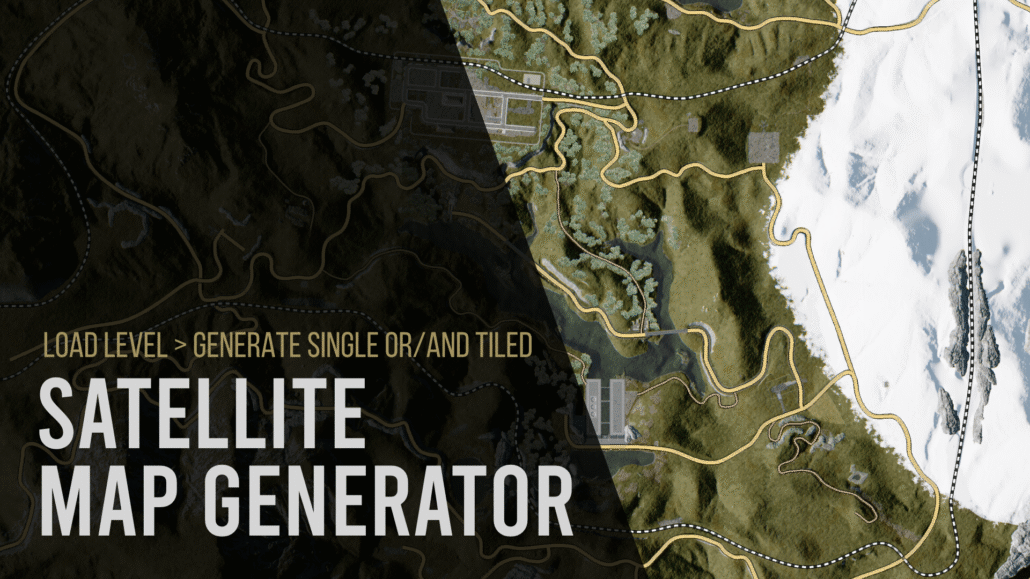
Satellite Map Generator is an Unreal Engine Editor plugin for generating high-resolution satellite-style maps directly from your existing game world.

Instead of relying on external map services or imported satellite imagery, the plugin captures the actual Unreal Engine level from an orthographic top-down view and converts it into production-ready map imagery.

The plugin is designed for both small levels and large open worlds and supports standard Unreal Engine Landscapes, UE 5.8 Mesh Terrain / Mesh Partition, static-mesh terrain, Nanite geometry, foliage, roads, buildings, water and mixed environments.

Satellite Map Generator can export a single stitched map image, streaming-ready world-space tiles, or both. It also includes optional zoom-pyramid generation, JSON metadata for runtime map systems, and spline-based road and railway overlays that remain readable regardless of mesh LOD or draw distance.

The plugin runs entirely inside Unreal Engine and does not require an internet connection, external mapping provider, API key or third-party service.

REQUIREMENTS

Unreal Engine: 5.8
Platform: Windows 64-bit
Plugin Type: Editor Code Plugin
Runtime Component: None required
External APIs: None
Third-Party Dependencies: None

INSTALLATION

1. Close Unreal Engine.
2. Copy the SatelliteMapGenerator folder into your project Plugins directory:

YourProject/Plugins/SatelliteMapGenerator/

3. Regenerate project files if required.
4. Build the project/plugin for Unreal Engine 5.8.
5. Open the project.
6. Enable Satellite Map Generator in Edit > Plugins if it is not already enabled.
7. Restart the Editor if requested.
8. Open the tool from:

Tools > Satellite Map Generator

QUICK START

For a first test on a normal Landscape:

1. Open the level you want to capture.
2. Select the Landscape actor in the level.
3. Open Tools > Satellite Map Generator.
4. Set Capture Area Mode to Selected Actors.
5. Use these recommended test settings:

Tile World Size: 1000 m
Tile Resolution: 2048 px
Overscan: 3%
Visual Preset: Clean Satellite
Lock Exposure: Enabled
Exposure Compensation: 0.0
Warmup Captures: 2

6. Click Analyze Bounds.
7. Confirm that the reported map dimensions and tile count match the expected world size.
8. Click Generate Satellite Map.
9. After the test succeeds, increase Tile Resolution to 4096 px for a production-quality export.

For example, a 4 km x 4 km map using 1 km tiles produces a 4 x 4 tile grid, for a total of 16 highest-detail tiles.

OUTPUT SETTINGS

Output Directory

Defines where generated map files are written.

The default location is:

Saved/SatelliteMaps

Each generated map is placed inside its own folder based on Map Name.

Map Name

Defines the base filename and the output folder name used for generated images, tiles and map.json.

Example:

Panonia

will generate files inside a Panonia output folder.

Export Mode

Single Image Only
Creates one stitched satellite map image.

Tiles Only
Exports individual map tiles intended for large maps or runtime streaming.

Single Image + Tiles
Exports both the stitched map and individual tiles. This is recommended when the map will be used both as a normal UI map and as a streamed runtime map.

Map Rotation

Available rotations:

0 degrees
90 degrees clockwise
180 degrees
-90 degrees / 90 degrees counter-clockwise

Rotation is applied consistently to:

– the stitched map
– individual tiles
– tile indices
– zoom levels
– JSON metadata

This keeps runtime coordinate conversion deterministic after rotation.

Full Map Max Dimension

Controls the maximum width or height of the stitched full-map image.

This setting does not reduce the resolution of exported high-detail tiles. It only limits the combined overview image to protect memory usage when very large maps are generated.

Range: 1024 to 16384 pixels.

Write Metadata JSON

When enabled, the plugin writes map.json containing information required for runtime map systems, including:

– world bounds
– tile size
– tile resolution
– tile grid dimensions
– meters per pixel
– map rotation
– image orientation axes
– zoom levels
– tile filename pattern
– transport overlay settings

Generate Zoom Pyramid

Available when tiled export is enabled.

Generates lower-resolution zoom levels from the already captured highest-detail tiles without re-rendering the Unreal world.

This is useful for Google Maps-style map viewers where the application loads lower-resolution tiles when zoomed out and higher-resolution tiles when zoomed in.

CAPTURE AREA

Capture Area Mode determines which part of the world is exported.

World Partition Runtime Bounds / Auto World Bounds

Designed primarily for large World Partition levels.

The plugin attempts to determine the runtime world bounds even when some World Partition cells are unloaded.

Use Analyze Bounds before generating a large export.

If the detected area is unexpectedly huge, use Selected Actors or Manual Bounds instead.

Selected Actors

Uses the combined bounds of the actors currently selected in the Unreal Editor.

This is the recommended option for:

– standard Landscape maps
– testing
– exporting only part of a level
– avoiding unrelated actors with extremely large bounds

For a normal Landscape, select the Landscape actor and use this mode.

Loaded World Actors

Uses the bounds of currently loaded world actors.

This can be useful for smaller levels or non-World-Partition projects, but may include actors that extend far outside the intended map area.

Manual Bounds

Allows exact manual control over the capture rectangle.

Manual Center
World-space center of the capture area.

Manual Width
Capture width in Unreal centimeters.

Manual Height
Capture height in Unreal centimeters.

Unreal conversion reference:

100 cm = 1 meter
100,000 cm = 1 kilometer

Expand Bounds To Whole Tiles

Expands the selected bounds to complete tile boundaries.

This is recommended for deterministic tile grids, stitched maps and zoom pyramids.

TILE SETTINGS

Tile World Size

Defines the physical world area represented by one highest-detail tile.

Recommended starting value:

1000 m

Smaller tile sizes create more tiles and allow more localized streaming. Larger tile sizes reduce tile count.

Supported range: 50 m to 10,000 m.

Examples:

4 km x 4 km world with 1000 m tiles = 4 x 4 tiles
8 km x 8 km world with 1000 m tiles = 8 x 8 tiles

Tile Resolution

Defines the pixel resolution of each highest-detail tile.

Recommended values:

2048 px – testing and fast iteration
4096 px – recommended production default
8192 px – extremely high-detail export with significantly higher memory, disk and processing requirements

Overscan

Renders additional pixels outside the requested tile area and then crops the result back to the final tile size.

This reduces edge artifacts caused by screen-space, temporal and lighting effects.

Recommended starting value:

3%

CAPTURE SETTINGS

Capture Pass

Satellite / Final Color
Produces the normal lit satellite-style map and is the recommended mode for standard use.

Base Color / Albedo
Exports material base color without normal scene lighting. Useful for technical maps or custom post-processing.

World Normal
Exports world-space normal information for technical workflows and custom analysis.

Visual Preset

Clean Satellite (Recommended)

Removes atmospheric and cinematic effects from the SceneCapture only, including common sources of washed-out or inconsistent map imagery.

The level itself is not modified.

The Clean Satellite preset removes or suppresses effects such as:

– atmospheric haze
– height fog
– volumetric fog
– clouds
– bloom
– lens flares
– lens distortion
– depth of field
– vignette
– film grain

Normal scene lighting, shadows, materials and SkyLight contribution are retained.

Use World Atmosphere / Rendering

Captures the level using its normal atmospheric rendering.

Use this option when fog, haze, clouds or cinematic atmosphere are intentionally part of the desired map appearance.

Warmup Captures

Defines how many temporary capture passes are performed after the camera moves to a new tile before the final image is read back.

Warmup captures allow systems such as temporal rendering, Lumen and virtualized rendering to settle.

Default: 2

Increase this value if neighboring tiles show temporal inconsistencies or incomplete lighting updates.

Lock Exposure

Uses one fixed exposure for all tiles.

This is strongly recommended for tiled maps.

Without fixed exposure, bright areas such as snow or water and dark areas such as forests can cause neighboring tiles to use different automatic exposure values, creating visible rectangular brightness changes in the final map.

Exposure Compensation

Adjusts map brightness when Lock Exposure is enabled.

Recommended starting value: 0.0

Positive values brighten the map.
Negative values darken the map.

Always perform a small test export before changing exposure for a large map.

Disable Motion Blur

Disables motion blur for the SceneCapture.

Recommended because the capture camera jumps directly between map tiles rather than moving continuously through the world.

Use Fixed Camera Z

When disabled, the plugin automatically places the orthographic camera above the highest relevant world bounds.

Enable this only when an exact camera height is required.

Fixed Camera Z

Absolute world-space Z position used when Use Fixed Camera Z is enabled.

Camera Height Padding

Additional height added above detected world content when automatic camera placement is used.

Increase this value if very tall geometry is clipped from the capture.

WORLD PARTITION

Auto Load World Partition Actors

For World Partition levels, the plugin can temporarily hold references to actors whose descriptors intersect the current tile before capture.

The workflow is:

1. determine the current tile area
2. temporarily load relevant World Partition actors
3. capture the tile
4. release the temporary references
5. move to the next tile

This avoids requiring the entire world to remain loaded at once.

This workflow is especially useful for:

– large open worlds
– World Partition projects
– UE 5.8 Mesh Terrain / Mesh Partition worlds

Mesh Terrain is captured through Unreal Engine’s renderer and is not a hard dependency of Satellite Map Generator.

World Partition Load Padding

Loads an additional world-space area around each tile.

This can help when large actors, shadows, foliage or effects just outside the tile influence the visible capture.

Default: 250 m

TRANSPORT OVERLAY

Transport Overlay draws clean cartographic roads and railways after the satellite capture.

This solves a common satellite-map problem: distant road or railway meshes may become low-detail, disappear because of draw distance, become hidden by foliage, or be difficult to distinguish from the terrain.

Because the overlay is generated from spline geometry, it remains readable independently of the rendered road mesh.

Supported transport classes:

– Main Road
– Secondary Road
– Forest Track
– Railway

Draw Transport Overlay

Enables or disables transport overlay rendering.

Use Spline Components

Scans standard Unreal actors and components containing USplineComponent geometry.

Use this for Blueprint or actor-based road systems built from normal spline components.

Use Landscape Splines

Scans Landscape Spline segments and their metadata.

Use this for roads and railways authored with the Landscape spline system.

Both normal spline components and Landscape Splines can be enabled at the same time.

TRANSPORT CLASSIFICATION

Classification is based on configurable comma-separated filters.

The plugin can match data from:

– actor names
– actor labels
– actor classes
– class paths
– actor tags
– component names
– component tags
– material names
– material paths
– Landscape Spline layers
– spline-mesh names

Matching is case-insensitive.

Recommended naming examples:

Road_Main
Road_Secondary
Road_Forest
Railway

Railway matching has the highest classification priority so broad terms such as road or track do not override a railway classification.

Main Road

Default filter:

main, highway, arterial, asphalt

Default width:

9 m

Use this class for highways, primary roads and major paved routes.

Secondary Road

Default filter:

secondary, side, street, road

Default width:

6 m

Use this class for smaller paved roads, local streets and secondary routes.

Forest Track

Default filter:

forest, dirt, path, trail, track, gravel, macadam

Default width:

4 m

Use this class for dirt roads, forest roads, trails and unpaved tracks.

Railway

Default filter:

rail, railway, train, pruga

Default width:

5 m

Railways can be drawn as a solid route or as a repeating cartographic pattern.

Railway Dashed

Enables a repeating railway pattern instead of a simple solid line.

Black / White Railway Pattern

When enabled, the plugin first draws a continuous dark railway base and then draws equally spaced light segments over it.

This prevents the terrain underneath from showing through the gaps and keeps the railway pattern visually consistent over snow, grass, water and the original railway mesh.

Default dash length:

12 m

Default gap length:

8 m

Dash and gap lengths are measured in world space along the spline, so the pattern remains consistent through curves and at different output resolutions.

Transport Outline

Draws a contrasting outline beneath roads and railways to improve readability over bright, dark or visually complex terrain.

Outline Extra Pixels controls the additional outline radius in output pixels.

FILTERING

Exclude Actor Filters

Comma-separated actor tags or actor/class name fragments excluded from the SceneCapture.

The default filter excludes SatelliteMapGenerator and SceneCapture helper actors so the plugin does not capture its own temporary objects.

Use this setting to exclude additional project-specific actors if required.

ANALYZE BOUNDS

Analyze Bounds should be used before a large export.

The analysis reports information such as:

– capture width and height
– output tile grid
– total tile count
– selected rotation
– centimeters per pixel
– maximum zoom level
– equivalent full-detail map resolution

If the tile count is unexpectedly large, do not start the export. Change the Capture Area Mode to Selected Actors or Manual Bounds and analyze again.

The plugin includes a safety limit to prevent accidental generation of unreasonable tile counts.

OUTPUT STRUCTURE

Example tiled output:

SatelliteMaps/
└── Panonia/
├── Full/
│ └── Panonia_Satellite.png
├── Tiles/
│ ├── Z0/
│ │ └── Panonia_Z0_X0_Y0.png
│ ├── Z1/
│ │ └── …
│ └── Z3/
│ ├── Panonia_Z3_X0_Y0.png
│ ├── Panonia_Z3_X1_Y0.png
│ └── …
└── map.json

The exact maximum zoom level depends on the exported tile grid dimensions.

ZOOM PYRAMID

The highest zoom level contains the original captured tiles.

Lower zoom levels are generated from those tiles without re-rendering the Unreal level.

Example for an 8 x 8 highest-detail tile grid:

Z3 = 8 x 8 tiles
Z2 = 4 x 4 tiles
Z1 = 2 x 2 tiles
Z0 = 1 x 1 tile

This structure allows a runtime map interface to load only the amount of detail required for the current zoom level.

MAP.JSON METADATA

When Write Metadata JSON is enabled, map.json contains information including:

– generator name and version
– map name
– tile world size in meters
– tile resolution
– tiles X/Y
– maximum zoom level
– meters per pixel
– visual preset
– fixed exposure state
– exposure compensation
– map rotation
– transport overlay configuration
– image right axis
– image down axis
– full image dimensions
– world bounds in centimeters
– whether tiles were exported
– whether a zoom pyramid was generated
– tile filename pattern
– information for each zoom level

The exported image orientation is also described using imageRightAxis and imageDownAxis.

Examples:

0 degrees:
Image right = +X
Image down = +Y

90 degrees clockwise:
Image right = -Y
Image down = +X

180 degrees:
Image right = -X
Image down = -Y

90 degrees counter-clockwise:
Image right = +Y
Image down = -X

Tile X/Y indices always follow the exported image orientation.

USING THE OUTPUT IN A RUNTIME MAP

Satellite Map Generator does not require a runtime component.

The exported map.json provides the information required for a custom runtime map system to convert Unreal world positions into map coordinates.

A typical runtime workflow is:

1. Read worldBoundsCm from map.json.
2. Normalize the player’s world X/Y position inside those bounds.
3. Apply the exported map orientation described by mapRotationDegrees, imageRightAxis and imageDownAxis.
4. Determine the required zoom level.
5. Convert the normalized map position to Tile X/Y.
6. Load only the required tile or nearby tiles.
7. Convert the local tile position to UV/pixel coordinates for the player marker.

The tile filename pattern is stored in map.json.

RECOMMENDED SETTINGS

Fast Test Export

Tile World Size: 1000 m
Tile Resolution: 2048
Overscan: 3%
Visual Preset: Clean Satellite
Warmup Captures: 2
Lock Exposure: Enabled
Exposure Compensation: 0.0
Transport Overlay: Enabled

Production Open-World Export

Tile World Size: 1000 m
Tile Resolution: 4096
Overscan: 3-5%
Visual Preset: Clean Satellite
Warmup Captures: 2-4
Lock Exposure: Enabled
Generate Zoom Pyramid: Enabled
Write Metadata JSON: Enabled
Auto Load World Partition Actors: Enabled for World Partition projects

Very High Detail Export

Tile Resolution: 8192

Use only when the additional detail is necessary. 8192 px tiles significantly increase capture time, memory use, PNG compression time and disk usage.

TROUBLESHOOTING

The map is almost black

If using an older plugin configuration, disable Lock Exposure for a quick test or reset the exposure settings.

In current versions, fixed exposure disables physical camera exposure for the SceneCapture. Start with Exposure Compensation at 0.0.

Neighboring tiles have different brightness

Enable Lock Exposure.

Automatic exposure can adapt independently for each tile, especially when one tile contains snow, water or bright terrain while another contains dark forest.

The map looks foggy or washed out

Use Visual Preset: Clean Satellite.

This removes atmospheric haze, fog, clouds and common cinematic lens effects from the SceneCapture without modifying the level.

The plugin reports a huge or unrealistic tile count

The selected automatic bounds likely include an actor with extremely large bounds.

Use:

Selected Actors

or

Manual Bounds

Then click Analyze Bounds again.

For a standard Landscape, Selected Actors is generally the safest option.

Roads disappear or are difficult to see

Enable Transport Overlay and verify the route classification filters.

The transport overlay is generated from spline geometry and does not depend on road mesh LOD or draw distance.

A road is classified as the wrong type

Adjust the class filter keywords or rename/tag the road actor or spline component.

Recommended identifiers:

Road_Main
Road_Secondary
Road_Forest
Railway

Railway classification has the highest priority.

Very tall objects are clipped

Increase Camera Height Padding or enable Use Fixed Camera Z and choose a sufficiently high world-space Z position.

Tile seams are visible

Try the following:

– increase Overscan
– increase Warmup Captures
– keep Lock Exposure enabled
– use Clean Satellite
– verify that animated weather, wind or other time-dependent effects are stable during export

WORLD PARTITION CONTENT IS MISSING

Enable Auto Load World Partition Actors and increase World Partition Load Padding if necessary.

Large actors or effects whose origin is outside the current tile may require additional loading padding.

NOTES ABOUT UE 5.8 MESH TERRAIN

Satellite Map Generator does not require Mesh Terrain as a hard plugin dependency.

Mesh Terrain / Mesh Partition geometry is captured through Unreal Engine’s normal rendering pipeline.

This allows the same Satellite Map Generator workflow to support:

– classic Landscape
– UE 5.8 Mesh Terrain / Mesh Partition
– static-mesh terrain
– Nanite geometry
– mixed terrain systems

For large Mesh Terrain worlds using World Partition, Auto Load World Partition Actors is recommended.

WORKFLOW TIPS

– Always run Analyze Bounds before a large export.
– Use 2048 px tiles while configuring the plugin.
– Move to 4096 px only after the test export is correct.
– Keep Clean Satellite enabled unless atmospheric effects are intentionally required.
– Keep Lock Exposure enabled for tiled maps.
– Use meaningful spline names or tags for reliable transport classification.
– Use Selected Actors for normal Landscape projects when automatic world bounds include unrelated actors.
– Keep tiled output if the map may later be used for runtime streaming.
– Enable map.json even if it is not immediately needed; it preserves the map-to-world relationship for future systems.

COPYRIGHT

Copyright (c) 2026 Digital Gods. All rights reserved.

The Seven Red Witnesses – Prologue

PROLOGUE

Reader, do not pray.

I do not know who you are.

I do not know in which century you will find these pages, or whether your hands will be clean when you hold them. Perhaps you will be sitting beside a fire, convinced that the world beyond your home is still reasonable. Perhaps you will read them in some cold room beneath the earth, while something above you scratches at the door and breathes like a man remembering that he was once a beast. Perhaps you will open them out of curiosity, pride, or the need to know what no living soul should ever know.

If so, then you have already made your first mistake.

But closing them now would be the second.

My name is Morgana.

Once, they called me a healer. Some whispered that I was a saint, others that I was a witch, and the most honest among them called for me only when their child had stopped breathing or when a wound had blackened to the bone. People loved me while I saved their lives and hated me the moment they realised they did not understand the price of miracles. It has always been so with humankind. They want the light, but they do not want to know what must burn to make it.

I wrote this book so that it might remain after me as a warning, but warnings are fragile things. People read them only after blood has already reached the threshold.

So I will tell you plainly.

Do not seek God in this book.

He does not answer often here.

And when the silence stretches long enough, something else learns to answer in His place.

Many years ago, on a night that smelled of damp earth, iron and death, I tried to save a man named Jure Grando. He was broken, pale, and already half torn from the world. His soul clung to his body like a candle to its last thread of wax, and I, a fool with hands full of good intentions, believed I could deceive the thing that comes for us all.

I did not mean to create a monster.

That is a sentence criminals often whisper to themselves when sleep no longer comes.

I do not tell it to excuse myself. My hands are not clean. They never were again. Blood can be washed from skin, but not from memory, and mine is still bleeding.

That night, I did not open a door to Hell.

That would have been easier to forgive.

Hell, at least, has rules. Hierarchy. A hunger that knows its own name. What passed through my ritual was older than prayer and colder than punishment. It did not come with a roar. It did not shatter walls or set the heavens aflame. It came quietly, like a thought you should never have had, like a whisper spoken in your own voice, like a hand touching your shoulder in an empty room.

It entered him.

Jure.

The man I had tried to save.

And when he opened his eyes, I knew death had not lost.

It had merely been given a face.

From that night onward, blood was no longer merely blood. It became a language. A vow. A curse. It became a memory passed from body to body, from century to century, through children who never asked for the inheritance of their ancestors and through sinners who accepted it gladly. Vampires were born from hunger. Werewolves from chains. Witches from guilt. Humans from fear.

And fear is the most faithful religion humankind has ever created.

If you think these are only old stories, close the book and return to your safe world. Return to your walls, your screens, your lights that burn through the night to convince you that darkness no longer has any claim upon you. Tell yourself the monsters died in the Great Purge. Tell yourself flame, bullet and prayer were enough. Tell yourself Panonia is peaceful because the men who fear admitting the truth wrote it so, that peace sometimes means only that the predators are sleeping.

But know this.

They are waking.

Not all at once. Not loudly enough for the world to hear. First, the smells return. Wet earth in a locked room. Ash upon the tongue. The sound of claws where fingernails should be. Then come the dreams, the same dream inside different minds, the same red door, the same voice calling you by a name you have never told another soul.

And then comes the blood.

Always the blood.

Marsonia will pretend it is safe behind its walls. Guardians will stand at the gates with rifles in their hands and exhaustion in their eyes. Traders will bargain while sirens wail somewhere in the distance. Children will learn not to look north when the snow begins to fall black. People will laugh in taverns because laughter sometimes sounds like courage, especially when poured alongside cheap drink and cheaper lies.

Vampires will rise from their graves, beautiful as sickness and patient as hunger.

Werewolves will descend from the fog, carrying the rage of their ancestors in their bones.

Witches will open paths through forests that appear on no map.

And humans, as always, will realise too late that they were never at the top of the chain.

They were merely the loudest while the rest of the world remained silent.

I do not write this to save you. That arrogance died in me long before they began to burn my name. I write because there is a difference between a person who dies without knowing what found them and one who at least understands why the darkness knows their scent.

Within this book, you will find names that should never be spoken inside an empty house. You will find loves that should not have survived a single day, yet defied centuries. You will find hunters who became worse than the prey they pursued, saints with bloodied hands, queens carrying dead children in their hearts, monsters who still remember how to weep, and humans who have forgotten.

You will also find absences: places where a name was cut from the record so completely that later generations mistook the missing piece for proof it had never existed. Remember those gaps. History is often most dangerous where someone has taken the trouble to make it quiet.

You will find Lilith.

Not as a story told to frighten children.

Not as a statue, a myth, or some devil’s mother invoked by priests whenever they wish to fill their churches with fear.

You will find her as she is.

A wound in God’s creation.

The voice that answers when prayer fails.

The first mother of the hunger that learned to live in blood.

And if you ever hear her whisper, if your own blood grows warm in the middle of the night as though remembering something, do not comfort yourself with the thought that you are special. That is the trap. Everyone who heard her believed at first that they had been chosen.

They had not.

They were open.

And she does not enter through doors that are not already slightly ajar.

So listen carefully, reader.

Do not trust everyone who wears a cross.

Do not fear everyone who has fangs.

Do not turn your back on the man who laughs while loading a pistol with silver bullets, because men like that usually survive long enough to know something you do not.

And never, never follow a trail of blood if a child is crying at the end of the corridor.

It is not a child.

Not anymore.

This book is not holy.

It is a wound bound in leather.

If you open it, it will read you as well.

And by the time you finish the first page, something in the darkness will already know your name.

Welcome to Panonia.

Welcome to the The Dark World.

And may God forgive you for continuing to read.

Because I cannot.

Lullaby of Khali’a, “Sleep, My Little Star”

There are songs in The Dark World that were never meant to be heard by crowds, nor shouted across battlefields. Some are whispers, some are confessions, and some are memories that refuse to die. Khali’a’s Lullaby belongs to the last of these.

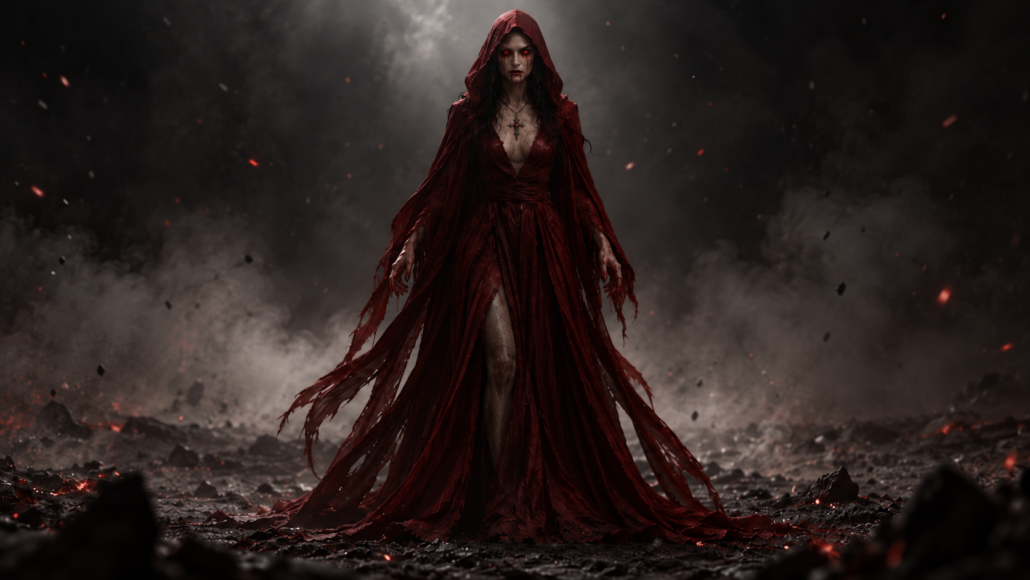
This piece was written to capture something deeper than terror or war. Khali’a, known in the lore as The Red Widow, is one of the oldest vampires, second only to Jure Grando himself. Her transformation was not glorious or chosen, it was tragedy. She was turned in the shadows of her home, brought into the hunger without understanding it, and in her first night she killed her husband and her daughter. That single night defined centuries of her existence. It became the wound she could never close.

The lullaby comes from the life she lost. Before she was Red Widow, Khali’a was a mother. She had a family, a home, and a voice that comforted rather than cursed. Sleep, My Little Star was the song she once sang to her daughter, a gentle melody of warmth and safety. After the tragedy, those words are soaked in blood and grief. And yet, sometimes, even in the long centuries of undeath, she still hums it. Not to lull a child to sleep, but to remind herself of what she destroyed.

Writing this song was about more than giving Khali’a a theme. It was about giving her humanity back, if only for a few fragile moments. The lyrics are deliberately simple, like a folk lullaby any mother might sing. But behind every word is weight. When she sings of stars, it is not about light, but about distance. When she whispers of angels, it is not about safety, but about the absence of God.

This song is not meant to comfort. It is meant to ache. It is meant to remind that monsters are not born in shadows, they are made when something human is broken beyond repair. Khali’a’s voice, fragile and trembling, is both a prayer and a curse, an echo of love that will never find an answer.

I wrote this piece because Khali’a is not just a monster in the lore of The Dark World. She is tragedy given flesh. And tragedy, I believe, deserves to sing.

Lore behind “The Door Within”

The Door Within – Bastion, Tunnel of Blood and Silence

“Blood remembers the oath unspoken.
Stone remembers the sins unbroken.
The door remembers… and it will speak.”


What is the Bastion?

Buried beneath the frozen wastelands of Pannonia lies the Bastion. Despite its name, it is not a fortress built to guard, but a tunnel forged to seal. Its walls are more than stone. They are veins carved with runes, soaked with blood, and echoing with prayers that were never answered.

Even Lucifer, the Prince of Darkness, laid his hand upon its creation. For even he, the Morning Star, the great rebel, could not stand against Lilith. The Bastion was not built out of hope, but out of necessity, the only prison strong enough to hold the Crimson Mother.

But prisons do not last forever. The Bastion breathes. The Bastion remembers. It does not sleep… it dreams.


The Devil’s Hour

The Bastion opens only at one time: the Devil’s Hour. At precisely 3 AM, the silence shifts. Those who dare approach it hear the sound first, the beating of a heart. Slow, heavy, echoing through the stone. Not their own heart, but something deeper. The Bastion itself.

Then comes the horn.
Not once.
Not twice.
Three times it is blown, splitting the night like a funeral dirge. It is not a warning. It is a summons.

With the third call, the seal breaks. The tunnel unlocks. And the player descends, step by step, down a spiral staircase carved into the flesh of the earth. At the bottom waits a portal, not made by mortal hands, but woven by witches, etched into reality like an open wound.

Beyond that portal lies the raid.
Beyond that portal… Lilith awaits.


The Song of the Bastion

The Door Within is not merely a song. It is the voice of the Bastion itself, echoing through verses that carry its memory.

“Blood writes the truth upon the stone,
The door within was never alone.
Bound by sorrow, sealed by sin,
The door without, the door within.”

Every wall has heard the cries. Every stone still bleeds. The song is a hymn of silence and a prophecy of awakening, whispering that the seal was never truly unbroken.

It is the hymn of a prison that was never dead, only dreaming. A hymn not of endings… but of return.


The Meaning

For those unfamiliar with The Book of Blood or The Dark World: Edge of Eternity, this track tells the story of the Bastion as more than a location, it is a living scar. Built as a pact between witches, mortals, and even Lucifer himself, it is the last wall between humanity and the return of the Crimson Mother.

When the horn sounds and the door opens, it is not just stone that breaks. It is the silence of centuries. And in that silence, Lilith’s voice will rise again.

For players and readers entering this world for the first time, The Door Within serves as the prelude to the greatest horror, the realization that the Bastion and its runes are humanity’s final line of defense. When the inscription upon its gate shatters, when blood runs down its walls, Lilith will once more walk this world.

Developer Update: Patch 0.2.9 Delayed and What’s Next for The Dark World: Edge of Eternity

Dear players,

We want to take a moment to address an important update regarding the development of The Dark World: Edge of Eternity. Unfortunately, we are unable to deliver Patch 0.2.9 on the originally scheduled date of January 15, 2025.

The transition from Unreal Engine 4 to Unreal Engine 5 has proven to be more challenging than anticipated. As a solo developer, these hurdles have required extra time and care to ensure the game maintains the quality you expect and deserve. I sincerely apologize for the delay and kindly ask for your understanding as we work to bring you the best possible experience.

That being said, we’re excited to announce that Patch 0.9.0 will now be released on February 15, 2025. Following this patch, we plan to roll out a series of updates with bug fixes and new content to lay the groundwork for Patch 0.3.0, which will introduce the highly anticipated new race: vampires.

With Patch 0.2.9, we’re introducing exciting updates and improvements to The Dark World: Edge of Eternity that will not only enhance the gameplay experience but also set the stage for future content and features. Here’s what’s coming:

  • New Optimized World (64 Square Kilometers)
    The game world has been expanded and optimized, providing a massive 64 sq. km area to explore, filled with mysteries, challenges, and opportunities.
  • Territories: Human, Vampire, and Werewolf
    The map now includes distinct territories for Humans, Vampires, and Werewolves, each with its own atmosphere, challenges, and lore.
  • Improved Questing with Level Restrictions
    Questing now features level restrictions to ensure balanced progression. This change will also support group questing mechanics planned for Patch 0.3.0.
  • Vehicles and Vehicle Mechanics
    Vehicles have been added, complete with shooting mechanics. Expect smoother handling, refueling mechanics, vehicle repairs (including flat tires), and an inventory system for vehicles, all of which will be further refined in future updates.
  • Improved NPCs
    NPCs have been upgraded with a new brain component that makes them tougher based on their level. They can now attack in groups, offering a more dynamic and challenging combat experience.
  • Magic Temporarily Removed
    Magic has been disabled for now to align with the introduction of Witches as a playable character class in Patch 0.9.0.
  • Zones with Unique Weather Patterns
    – Human Zones: Normal weather changes.
    – Werewolf Zones: Foggy and atmospheric.
    – Vampire Zones: Extreme cold with heavy snow and low visibility for an added challenge.
  • First-Person View
    Players can now switch to a first-person perspective, adding a new layer of immersion to the gameplay.
  • Weapons and Weapon Handling Improvements
    Weapon mechanics have been overhauled, with sniper scopes added, as well as a new menu for swapping weapon attachments.
  • Simplified Gameplay with a Focus on Combat
    Gameplay has been streamlined, putting a stronger emphasis on combat mechanics to deliver a more engaging and action-packed experience.
  • Simplified Looting
    The looting system has been simplified. You no longer need to chop trees or collect resources manually, making gameplay more streamlined and action-focused.
  • Emotes Introduced
    Emotes have been added to enhance player interaction. Currently, only one emote is available, but we will expand this system in future updates.
  • Server Settings and Admin Tools
    Host players (and future dedicated server owners) now have access to server settings and admin menu tools to better manage their game sessions.
  • Random Map Missions
    Random map missions have been implemented to encourage PvP engagements and bring more dynamic gameplay moments.
  • Cross-Play Support
    Cross-play is now enabled between players using Steam and Epic Games Launcher, ensuring a larger and more connected community.
  • And Many More…
    There are additional tweaks and improvements not listed here

Your continued support and patience mean the world to us as we navigate these challenges and push the boundaries of what The Dark World: Edge of Eternity can be.

Early Access Warning

The Dark World: Edge of Eternity is currently in Early Access. As an evolving project, features, mechanics, and content are subject to change based on player feedback and ongoing development.

While we strive to deliver the best possible experience, please keep in mind:

Some systems may not be fully polished and are still being actively worked on.
Bugs and performance issues may occur, and we are continuously working on improvements.
Content, such as quests, mechanics, and world-building, may be rebalanced or adjusted as we fine-tune the game for its full release.

We encourage you to share your thoughts, feedback, and bug reports with us through Steam discussions or our official channels. Your support and input play a vital role in shaping the future of The Dark World: Edge of Eternity.

Thank you for embarking on this journey with us, and we can’t wait to see what the community helps us build!

Warm regards,
Jericho
Digital Gods

State of Game #6

We are continuing to improve the game experience with significant updates and new features. Item rarity and durability systems have been reworked to enhance gameplay strategy. Players can now use throwables, engage in knives/daggers combat, and utilize throwing knives/daggers for stealth attacks. Explosives, including sticky bombs, contact explosives, and regular explosives, have been added for more dynamic combat. Craftable traps provide new tactical options, and exclusive content for backers has been introduced as a token of appreciation for their support.

  • Reworked Item Rarity
  • Item State/Durability Reworked
  • Added Throwables
  • Added Knifes/Dagers Combat
  • Added Throwing Knifes/dagers
  • Added Explosives (sticky, on contact, regular)
  • Added Craftable Traps
  • Backers Content


The updated item interface displays crucial information about each item’s state and category. Items can now be in one of five states: Pristine, Worn, Damaged, Badly Damaged, or Ruined, affecting their performance and usability. The interface also shows if an item can be used in the hotbar for quick access during gameplay. Each item is categorized clearly, such as resources, build kits, and tools, helping players manage their inventory effectively. For example, the Stone is a resource, the Building Plan is a build kit, and the Metal Hatchet is a tool, each with specific uses and durability levels.

Backer Content Access:

Everyone who pledged in our crowdfunding campaign can claim Backer role through a private message on our Discord by sending the email address used on the crowdfunding platform from (FundRazr, CrowdFundr, Ko-Fi, Patreon).

Behind the scenes content will be unlocked on Discord after verification.

Planned Game Content:

We have completed the full roadmap for our game and will be releasing it in the coming days, available for all players. For our backers, we have more detailed content, including plans for expansions, dungeons, raids, bosses, and more. This roadmap will outline all the exciting planned content and features that will enhance your gaming experience. Stay tuned for more updates and details on what’s coming next!


We look forward to you enjoying these new contents and upgrades, and we thank you for your support as we continue to develop our game.

Death is but the doorway to new Life

See you in game, The Digital Gods Team

State of Game #5

This patch brings significant enhancements to the user interface, including a major redesign of the skill page and the introduction of the “Player Card” to better organize the Player Inventory. The game world has been updated with new traps and puzzles at points of interest, a redesigned Witchfire Glade, and direct access to dungeon and raid entrances without the need for teleportation. Networking improvements feature better server-client interaction, fixes for connectivity issues, and an anti-cheat system. Additionally, the in-game admin tools for server owners have been upgraded with enhanced player management, quick access commands, custom spawn tools, and new teleport options, making server management more efficient and user-friendly.

UI Improvements:

We will start with user interface improvements. Enhancing UI readability is a very important task to ensure you don’t get lost in all the information on your screen. To make navigating through the UI more comfortable, we have made significant changes. It is still a work in progress, so bear with us. The skill page has undergone a major redesign, which is essential before we introduce the vampire race. Keep in mind that this is just an early bird version, and the overall look can change during early access.

We have moved many elements from the Player Inventory to a new page called “Player Card”.
Skill Page


Player Inventory now is all about items

World Changes:

  • Traps and puzzles at POI locations
  • Teleport to dungeon has been removed (Dungeon and Raid Entrances are now accessable without using teleport)
  • Witchfire Glade redesign

Networking:

  • Improved Server-Client replication and respond speed on characters.
  • Fixed issues with client can’t connect to server after being kicked during low network performance
  • Working on new server browser
  • Working on Dedicated server support (p2p will be used for coop sessions in future)
  • Working on config files for Dedicated servers

Anti-Cheat:

Anti Cheat has been Implemented

Admin Tools for Server Owners:

We are also working on enhancing the in-game admin tools for server owners. These tools are currently a work in progress, but we are committed to making server management more efficient and user-friendly. Here are some of the key updates and features you can expect:

  • Enhanced Player Management: Controls for managing players directly in-game.
  • Quick Access Commands: A set of quick access commands for common administrative tasks, broadcasting messages, and adjusting game settings on the fly.
  • Spawning: Custom spawns for events, items, NPC’s without leaving the game.
  • Teleport tools

We look forward to you enjoying these new contents and upgrades, and we thank you for your support as we continue to develop our game.

Death is but the doorway to new Life

See you in game, The Digital Gods Team

State of Game #4

In the latest update we’re excited to introduce revamped player models, offering an array of enhanced customization options for both female and male characters, complete with body morphs for increased diversity. While vampire character customization features are still in the works, players can immerse themselves in over 100 new clothing and gear options to further tailor their characters to their liking. Prepare to experience immersive weather effects, such as dynamic rain and interactive water surfaces, alongside optimized audio and lighting within interiors. And don’t forget to navigate the night sky with our realistic star map, guiding you through your nighttime explorations. Welcome to the latest update of “The Dark World: Edge of Eternity”! Now, let’s dive into a few screenshots.

New player models:

  • New female model: New and improved look of female models for player character customization.
  • New male model: New and improved look of female models for player character customization.
  • Female body morphs: Body morphs for female body customization.
  • Male body morphs: Body morphs for female body customization.
  • Vampire character customization:(W.I.P won’t be available for 2.9.0)
  • Vampire character morphs & transformation:(W.I.P won’t be available for 2.9.0)
  • Over 100 new clothes/gear pieces for new characters
  • Improved body physics for new models

Weather effects on environment:

  • Rain Effects: Experience immersive rain effects as droplets cascade down window glass, adding realism to interior environments.
  • Dynamic Puddles: Watch as puddles form on terrain, reacting realistically to footsteps and rainfall.
  • Interactive Water Surface: Interact with water surfaces as raindrops create ripples and disturbances, enhancing realism.
  • Interior Player Detection: Enjoy optimized audio and lighting within interiors, as the game dynamically adjusts sound levels and darkens interiors when you’re inside.
  • Realistic Star Map: Look up to the sky and navigate with a true-to-life star map, aiding in orientation during nighttime exploration.

We look forward to you enjoying these new contents and upgrades, and we thank you for your support as we continue to develop our game.

Death is but the doorway to new Life

See you in game, The Digital Gods Dev Team

State of Game #3

Dear Players,

We are thrilled to bring you the latest update on the development of TDW. As part of our ongoing efforts to enhance your gaming experience.

One of the key areas of focus in this update is the audio and world sound design. We recognize the crucial role that sound plays in creating an immersive gaming experience, and we are dedicated to ensuring that every aspect of the audio contributes to the atmosphere and immersion of the game world. From ambient sounds that bring environments to life, to dynamic sound effects that react to player actions, our goal is to transport players into the heart of the action and make them feel truly connected to the world around them.

In addition to enhancing the overall audio experience, we are also implementing a new feature: radio messages. As players navigate through the game world, they will receive radio messages from Guardian HQ, alerting them to important world events, warnings, and updates. These messages will add an extra layer of immersion and realism to the gameplay, as players feel like they are part of a living, breathing world where events unfold in real-time.

Overall, the transition to Unreal Engine 5 and the focus on audio and world sound design represent significant steps forward in our ongoing commitment to delivering a top-tier gaming experience.

Our focus on environment and sound design goes beyond mere aesthetics; it’s about crafting an experience that immerses you deeply into the world of the game. One of our key objectives is to ensure that you become intimately familiar with the soundscape of the game, allowing you to effortlessly recognize audio cues that signal danger or opportunity.

To achieve this, we’re meticulously designing our environments to emit distinct sounds that resonate with the player. Whether it’s the ominous growl of a lurking predator or the subtle rustle of foliage in the wind, each sound serves a purpose, guiding you through your journey and heightening your sense of immersion.

Our goal is to train your ears to instinctively react to these sounds, so you can quickly discern when danger is near or when the perfect hunting opportunity arises. For instance, a radio message informs you about witch activity, and shortly after, you hear the sound of a horn in the distance where witches spawn, indicating that it’s probably deadly to venture there. Conversely, the melodic chirping of birds may signal a tranquil moment ripe for exploration and discovery.

But it’s not just about environmental sounds; it’s about integrating dynamic audio cues that respond to your actions and the events unfolding around you. For example, the intensity of the soundtrack may escalate during intense combat sequences, amplifying your adrenaline and sense of urgency. Similarly, subtle shifts in ambient sounds can indicate changes in weather patterns or the proximity of valuable resources.

By seamlessly blending environment and sound design, our aim is to create an intuitive experience that draws you in and keeps you engaged from start to finish. We want you to feel like an integral part of the world, attuned to its rhythms and nuances, and ready to face whatever challenges come your way.

We look forward to you enjoying these new contents and upgrades, and we thank you for your support as we continue to develop our game.

Death is but the doorway to new Life

See you in game, The Digital Gods Dev Team